The App Promised Easy Records—But Are They Complete?
A mileage app can look reassuring after a week of driving: trips appear in a neat list, distances add themselves, and the dashboard suggests that the recordkeeping is handled. The gaps often appear later, when a tax deadline approaches or a client asks why a trip was business-related. Missing dates, vague destinations, unreviewed mileage, or deleted records can matter more than a polished interface.
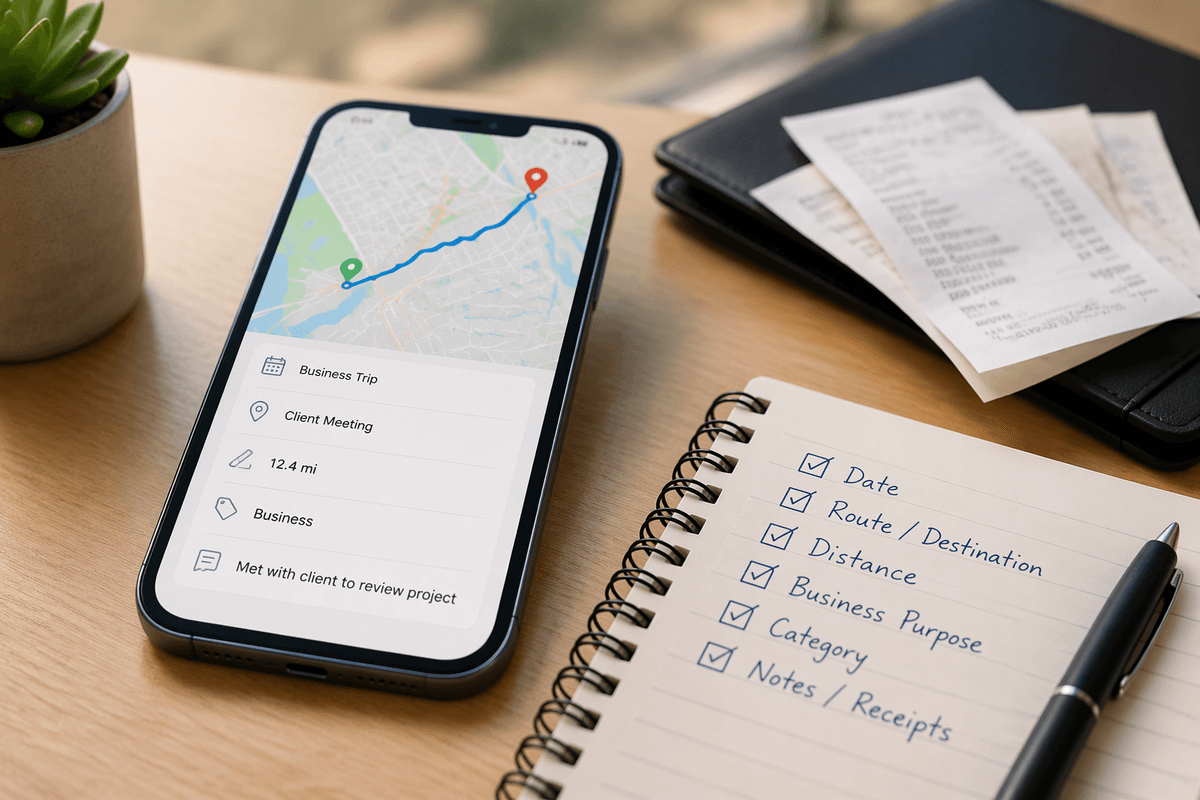
The useful question is not whether an app records miles, but whether it preserves a complete record that can be reviewed months later. Check whether each trip retains its date, route or destination, distance, business purpose, and category, and whether records remain accessible after cancellation. A low-cost app may be adequate if those details survive ordinary mistakes. Convenience becomes expensive when correcting omissions requires manual reconstruction.
Automatic Tracking Is Only Useful When It Is Accurate

That review usually begins with the trips the app recorded without asking. Automatic tracking can save time, but it depends on location access, phone settings, battery limits, and the app’s ability to distinguish driving from stops or nearby movement. A missed start can remove an entire trip; a false trip can inflate the total and create cleanup work. Accuracy is not a background feature when the record may support a tax deduction.
Test the app during ordinary driving before relying on it for every business mile. Compare its entries with the actual route, check whether short stops split or merge trips correctly, and see how easily personal mileage can be marked or removed. Accuracy may also vary when the phone is in low-power mode, disconnected from data, or left in a vehicle. An app that captures nearly everything but requires frequent correction may save less time than expected.
The practical standard is not a perfect automated log. It is a record that captures most trips consistently and makes errors visible before they accumulate. If missed mileage is difficult to identify, automatic tracking creates confidence without dependable documentation.
A Mileage Total Needs Business Context
Once the trips are captured, the total still does not explain how the mileage should be used. A tax-ready record needs more than a number of miles; it needs a reason for the trip. Driving to a client site, collecting supplies, meeting a prospect, and commuting to a regular workplace may not receive the same treatment. Apps that label every trip “business” can make review faster, but they can also hide decisions that must be made later.
Look for flexible categories, editable business-purpose fields, and a way to separate personal, business, charitable, and medical travel when relevant. The wording should be specific enough to make sense months afterward, not just “work trip.” Some apps offer automatic categorization based on saved locations, but those suggestions can be wrong when one address serves several purposes. Correcting a recurring mistake may take longer than assigning trips manually.
A useful test is to review a mixed week of driving and ask whether the app shows why each business trip occurred, not merely where it ended. If the answer depends on memory, the mileage total is incomplete even when the distance is accurate. Paying for smarter categorization is worthwhile only when it reduces review time without replacing the judgment needed to support the record.
Documentation Features Matter When Details Go Missing
That judgment becomes harder when a trip was recorded correctly but the supporting details were not added at the time. Documentation features can reduce the damage from ordinary forgetfulness, especially when the app allows notes, receipts, client names, or purpose descriptions to be attached to individual trips. A quick note such as “supplier pickup for kitchen project” is more useful months later than a location label alone.
Look for reminders that appear soon after a trip, not only at the end of the month. Delayed prompts may be easy to dismiss, while constant alerts can become background noise. The better systems let you set review schedules, edit notes in batches, and flag trips that still lack a category or business purpose. Receipt storage can help, but it should not be treated as a substitute for mileage details; an uploaded receipt may show a purchase without explaining the related driving.
Retention also matters when a phone is replaced, an account is downgraded, or records need to be reviewed years later. Before paying for extra documentation tools, test whether missing details can be added quickly and whether old records remain readable. The feature earns its cost when it repairs gaps before they become memory exercises.
Exports Reveal Whether the App Is Actually Practical

Even well-documented trips are difficult to use if the app makes them awkward to retrieve. Export tools show whether the records can leave the app in a form that supports tax preparation, an accountant’s review, or a personal backup. Check whether exports include dates, destinations, mileage, categories, business purpose, and notes rather than only a monthly total. A spreadsheet with missing fields may look organized while still requiring reconstruction.
Test the process before subscribing. See whether the app exports a selected date range, separates business and personal trips, preserves readable notes, and produces a file that opens without special software. Some services limit exports to paid plans or make bulk downloads slow and confusing. That creates a timing problem when records are needed close to a filing deadline.
Retention should not depend on remembering to export manually every week. A practical app makes routine backups simple and keeps the file understandable outside its dashboard. If the export loses the context that made each trip defensible, the subscription has preserved convenience more effectively than the record itself.
Cheap Plans Can Create Expensive Recordkeeping Gaps
That export test often changes the apparent price of an app. A free or inexpensive plan may record trips reliably but restrict history, exports, notes, or automatic backups. The missing feature may not matter during a normal month; it matters when a device fails, an account is downgraded, or records from an earlier tax year are needed. Rebuilding months of mileage from calendars, messages, and memory can cost more time than the subscription saved.
Compare plans by the records they preserve, not by the number of convenience features listed. Confirm how long trip history remains available, whether business-purpose notes and categories are included, and whether exports can be made without upgrading at the worst possible moment. Also check whether cancellation leaves read-only access or removes the account’s stored data. A higher plan is justified when it protects complete records and reduces recovery work. It is not justified merely for extra dashboards, badges, or mileage estimates that do not improve documentation.
Choose the Smallest Feature Set You Can Maintain
After comparing plan limits, the better choice is usually less dramatic than the feature list suggests. Start with the records that must survive: accurate trip capture, clear business categories, useful notes, reliable retention, and an export you can open when needed. If those functions work consistently, a basic plan may be enough. Paying for advanced estimates or elaborate reports adds little when trips still require manual correction.
Test the daily routine before committing. Can missing trips be reviewed, purposes added, personal miles removed, and a backup created without turning recordkeeping into another weekly task? The smallest feature set is not the cheapest package; it is the one that fits the driving pattern and leaves few opportunities for forgotten details. A simpler app maintained consistently can produce a stronger record than a richer service used irregularly.